Are Fingerprint Gun Safes Reliable? What You Need to Know Before Buying
Are fingerprint gun safes reliable for safe and quick access? Yes, they generally provide fast and secure entry by recognizing unique fingerprints, unlocking within 1 to 3 seconds under proper conditions. Reliability depends on sensor quality, user setup, and maintenance, so choosing a high-quality safe and regularly updating fingerprint profiles improves performance.
Key Takeaways
- Fingerprint gun safes open within 1 to 3 seconds, provided the fingerprints are clear and have been correctly registered.
- Economy biometric safes under $130 may use lower-grade sensors, reducing accuracy and reliability.
- Quality fingerprint sensors generally maintain reliable operation for 3 to 5 years before their effectiveness starts to decrease.
- Proper enrollment of 10 to 12 fingerprint profiles provides redundancy for reliable access.
- The lifespan of biometric safes ranges from 5 to 10 years, influenced by how often they are used and how well they are maintained.
- Backup access options are critical in case of sensor failure or battery depletion.
Are Fingerprint Gun Safes Reliable for Safe and Quick Access?
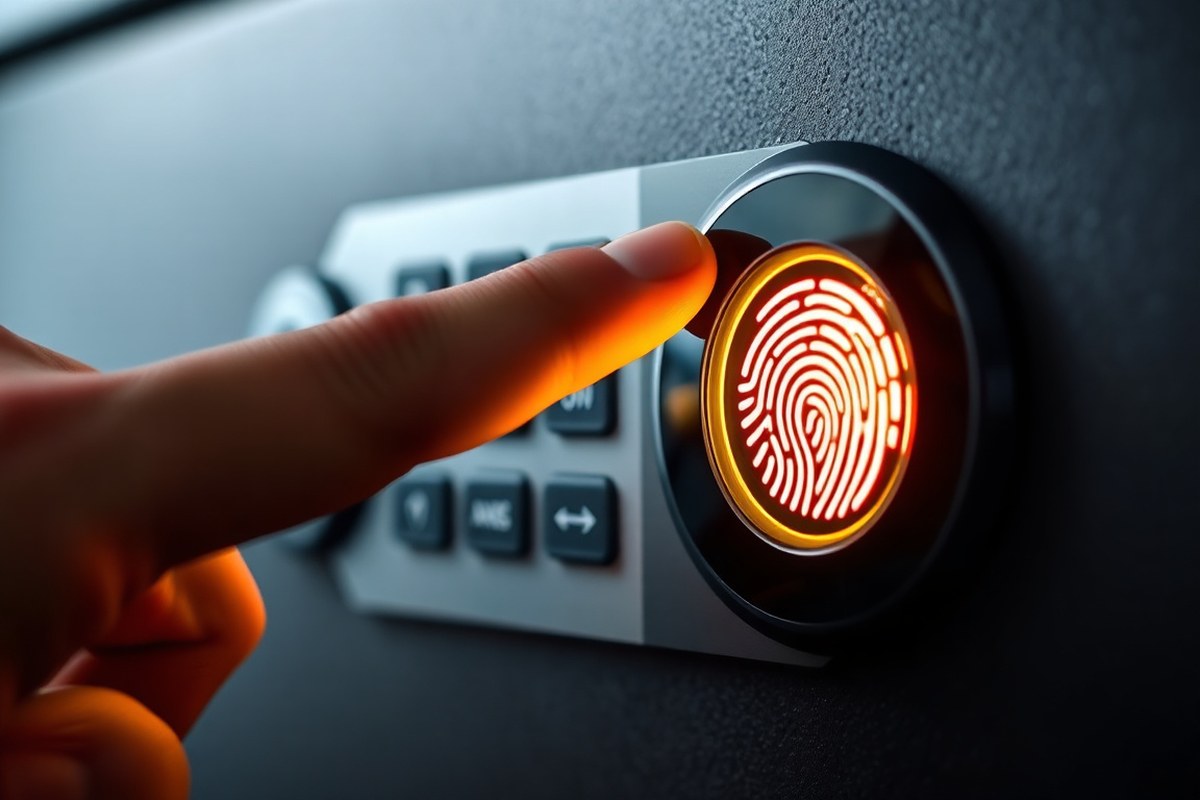
Fingerprint gun safes generally offer fast and reliable access, unlocking within one to three seconds under ideal conditions. This speed matters when every second counts during an emergency. Advanced biometric sensors read unique ridge patterns on your finger and match them to stored templates almost instantly. Most models let you store multiple fingerprints, which is useful if you want trusted family members or roommates to access the safe quickly.
Consistency in speed depends on proper fingerprint enrollment and maintaining clean, dry fingers. Dirt, moisture, or damage to the skin can slow down or prevent the safe from recognizing your print. High-quality sensors improve accuracy and reduce the chance of false rejections. Cheaper models or those with lower-end sensors often struggle with quick and reliable unlocking, which can be frustrating in moments of stress.
These safes are generally more secure against unauthorized access than traditional mechanical locks or simple keypad codes. Biometric technology requires physical presence and unique fingerprint data, making it very difficult for unauthorized users to open the safe without your print. Simply knowing a code or having a key won’t help bypass this technology. However, no system is completely foolproof. Experts recommend choosing safes from reputable brands that include anti-tampering features or alert systems to improve security further.
Common reliability issues include sensor errors caused by environmental factors like extreme cold or heat, which may affect fingerprint recognition accuracy. Battery-powered units can fail if you neglect timely battery replacement, potentially delaying access. Always have backup access options, such as a physical key or an override code, for situations when the fingerprint scanner malfunctions or power is dead. Understanding how and when to use these backups is essential to preventing lockouts in emergencies.
Fingerprint gun safes offer fast access, ease of use, and strong security when you keep them well-maintained. Users who invest about $150 to $400 in well-reviewed models typically find they offer fast unlocking, often under a second, while protecting firearms from unauthorized access. Proper enrollment, sensor quality, and battery care are critical factors to ensure consistent performance. Prioritizing quick, secure access to your firearms makes fingerprint safes a dependable option over traditional locks, as long as you maintain and back them up properly.
How Fingerprint Gun Safes Work and Unlock Your Firearm

Fingerprint gun safes use biometric sensors to identify unique fingerprint patterns and quickly unlock, giving you fast access to your firearm. The scanner captures your fingerprint’s ridges and valleys, compares them to stored data, and activates the locking mechanism within seconds. Understanding the sensor types and recognition process helps you maintain reliability and know what happens once your fingerprint is verified.
Types of Fingerprint Sensors
Fingerprint gun safes commonly use two main types of biometric sensors: capacitive and imaging. Capacitive sensors detect the electrical charge differences caused by the ridges and valleys on your finger. They measure how your skin conducts electricity, which helps create a detailed fingerprint map. Imaging sensors, on the other hand, use optical or ultrasonic technology to capture a visual image of your fingerprint, similar to taking a high-resolution photo.
Trusted safe brands like Sargent & Greenleaf and La Gard typically rely on advanced semiconductor capacitive sensors known for their speed and accuracy. These sensors can authenticate your fingerprint in as little as 0.1 seconds under ideal conditions. Budget safes around $100 often have lower-quality capacitive sensors, which can decrease recognition accuracy and slow unlocking time.
The Fingerprint Scanning and Verification Process
Placing your finger on the scanner activates the sensor to record the intricate patterns of ridges and valleys. The biometric unit identifies distinct features like minutiae, ridge endings, and splits. These features are transformed into a digital template saved in the safe’s memory when you first set it up.
To verify your identity, the scanner compares the live scan of your fingerprint to the stored template using pattern-matching algorithms. The safe’s processor performs this matching within milliseconds. Successful matches trigger the electronic control board to send a signal to get the safe’s locking mechanism almost instantly.
What Happens Inside After Recognition
Once the fingerprint is verified, the safe’s internal electronics activate an electric motor or solenoid that disengages the locking bolts or latch. This process typically completes within 1 to 3 seconds, providing near-instant access to your firearm. The fingerprint safe then resets to standby mode, ready to verify future access attempts.
During unlocking, the mechanical components must be well-maintained and lubricated for smooth operation. Dirt, dust, or debris on the sensor or in the locking mechanism can delay or prevent unlocking. Regular cleaning is critical to ensuring that the biometric sensor and locking parts perform reliably when you need them.
Factors Influencing Sensor Performance
Environmental conditions like moisture, dirt, or temperature extremes can affect the sensor’s ability to accurately read fingerprints. Dry, cracked, or dirty fingers may reduce sensor accuracy or cause recognition failures. In such cases, fingerprint gun safes may fail to open even with registered fingerprints.
Another key factor is the quality of the biometric technology itself. Commercial-grade safes from reputable brands use sophisticated sensors and encryption protocols to reduce false rejections and false accepts. Lower-quality models may be more prone to errors, slower recognition, or unauthorized access risks.
Keep the fingerprint sensor clean and dry to maintain fast and reliable firearm access at all times.
Factors That Affect Fingerprint Sensor Accuracy and Reliability
Fingerprint sensor accuracy and reliability depend on several physical, environmental, and technical factors. These factors can cause delayed recognition, false rejections, or false acceptances when unlocking a gun safe. Understanding these influences can help you maintain consistent secure access and know when extra caution or backup methods are needed.
Environmental Conditions That Impact Sensor Performance
Humidity, moisture, and temperature extremes are primary environmental challenges for fingerprint sensors. Moisture from sweat, rain, or nearby wet surfaces can blur fingerprint details and interfere with sensor optics or capacitive readings. Temperature swings outside typical room temperature ranges (about 60°F to 80°F) can affect sensor electronics and battery efficiency, sometimes causing lag or failure to read.
Placing the safe in a dry, shaded, stable environment helps reduce these issues. Avoid direct sunlight, damp basements, or outdoor storage. Regularly wipe the sensor and your fingers clean to minimize dirt, oil, or residue buildup that also hampers recognition.
How Skin Condition Affects Sensor Accuracy
Your finger’s surface condition strongly influences sensor readings. Cuts, abrasions, calluses, or dry, cracked skin can distort or obscure fingerprint patterns. For fingerprint biometrics, clear ridge detail and consistent skin texture are essential.
To improve accuracy, use well-moisturized, clean fingers when possible. Avoid registering fingerprints if your skin is damaged to reduce false rejects later. Different fingers may also yield varying results, so registering multiple prints increases reliability.
Sensor Technology and Algorithm Quality Matter
Fingerprint sensors vary by technology and resolution. Semiconductor-based sensors with higher resolution detect finer ridge details, improving successful matches. Advanced matching algorithms decrease false acceptances and rejections by better distinguishing genuine prints from smudges or partial scans.
Sensors with lower resolution or outdated algorithms may struggle in less-than-ideal conditions. Models with improve processing can complete authentication faster, typically within seconds, reducing access delays. Still, no sensor is perfect, so algorithm quality is key for consistent performance.
Common Physical and Handling Issues That Cause Errors
- Dirt, dust, or oils on the sensor surface or finger
- Incorrect finger placement, such as partial contact or improper angle
- Worn or aged fingerprints from heavy manual labor or skin conditions
- Wear and tear on the safe’s locking mechanism that affects sensor alignment
- Battery power drops affecting sensor responsiveness
Proper finger placement means covering the sensor fully and pressing lightly without excessive force. Training yourself to place your finger consistently can significantly improve results. Routine cleaning of the sensor area and finger preparation are inexpensive steps that often solve recognition issues.
Managing and Mitigating Limitations
Despite advances, even the best fingerprint gun safes occasionally fail to recognize authorized users. Awareness of why failures occur helps you prepare backup access options like emergency keys or PIN codes. Testing the sensor under various conditions, and registering multiple fingers can reduce failure rates.
When registering fingerprints, take your time to follow the manufacturer’s instructions carefully. Re-register prints if physical changes occur or if the sensor starts rejecting valid inputs frequently. Sensor lifetime and battery health also influence performance, so replacing batteries promptly and maintaining your safe can prolong accuracy.
Comparing Biometric to Traditional Gun Safe Locks
Fingerprint gun safes generally provide the fastest access compared to traditional mechanical locks and electronic keypads. Biometric technology lets you open the safe in a fraction of a second if the sensor recognizes your fingerprint properly. This convenience matters most when you need quick access during emergencies. Traditional mechanical key or dial locks unlock much slower since you have to find the key or carefully dial the combination. Electronic keypads fall in the middle, offering faster entry than mechanical locks but slower than biometric scans.
Security-wise, mechanical locks have a long history of reliability and resist electronic hacking, but they are vulnerable to lost keys or forgotten combinations. Biometric safes reduce the risk of lost keys but introduce new failure modes. For example, fingerprint sensors occasionally refuse authorized users (false rejects) or rarely accept unauthorized ones (false accepts). The Consumer Product Safety Commission recalled over 320,000 biometric gun safes since 2023 due to a defect causing unauthorized unlocks. Electronic keypads depend on battery power and can fail due to dead batteries, worn buttons, or forgotten codes. Biometric safes also require battery power, which means you must keep spare batteries and have backup access methods like keys or PIN codes.
| Lock Type | Access Speed | Needs Power | Typical Failure Mode | Resists a Curious Kid |
|---|---|---|---|---|
| Biometric (fingerprint) | Fastest when it works | Yes, battery-dependent | False reject or, rarely, false accept | Good, unless the unit has a known defect |
| Electronic keypad | Fast | Yes, battery-dependent | Dead battery, worn buttons, forgotten code | The code works well provided you don’t share it or allow others to observe it being entered. |
| Mechanical key or dial | Slowest | No | Lost key, forgotten combination | Depends entirely on where the key is |
From a user preference and cost perspective, biometric safes often come with a higher sticker price due to the integrated fingerprint sensors and additional electronics. Many models combine biometric with traditional backup options like keys and keypad codes to cover all scenarios. Traditional safes with mechanical locks typically cost less upfront and never require batteries. Users valuing speed and modern features tend to prefer fingerprint safes, while those focused on tried-and-true mechanical reliability may stick with traditional locks. When choosing, consider the tradeoff between faster access speed and the need for maintenance, backup, and vigilance against sensor or power failures.
Backup Access Options and Why They Are Necessary
Most fingerprint gun safes provide alternative access options like PIN codes or emergency mechanical keys. These backup methods are important since sensor malfunctions, dead batteries, or issues with fingerprint recognition may prevent entry. Alternative access lets you get the safe quickly when urgent, preventing delays that could arise from relying solely on the biometric sensor.
Common Backup Methods for Fingerprint Gun Safes
The two main types of backup access are physical keys and PIN codes. Mechanical keys provide a failsafe option when the biometric system malfunctions or the safe loses power. They usually come as a small, sturdy key hidden behind a protective cover on the safe’s exterior.
PIN codes offer a quick, keyless alternative. By entering a numeric code on the keypad, you can get the safe even if the fingerprint sensor fails. This method typically allows entry within seconds, matching the convenience of biometric access.
Why Backup Access Is Critical
Biometric sensors can fail due to dirt, moisture, battery depletion, or hardware glitches. A dead battery or electronic malfunction means the fingerprint reader won’t operate until power is restored. Without backup methods, you risk being locked out, potentially during critical moments when you need fast firearm access.
Backup PIN codes or mechanical keys bypass the biometric system entirely, giving you a reliable fallback. This ensures your safe remains accessible no matter the situation, preserving security while preventing frustrating or dangerous lockouts.
Setting Up Backup Access Options
When you first get your fingerprint safe, set up backup access immediately to avoid future problems. Most safes include factory-set emergency keys and allow programming one or more PIN codes. Register multiple PINs or keep backup keys in separate secure locations to reduce risk of loss.
Many models also let you enroll fingerprints from multiple fingers or family members to increase chances of successful recognition during varied conditions. For PIN setup, follow your safe’s instruction manual carefully to create, save, and test each code before relying on it.
Maintaining Backup Methods for Reliability
Regular testing of backup access options avoids surprises later. Ensure emergency keys are kept dry and free from rust. Store them securely in a known, safe place but separate from the firearm safe itself. Test all PIN codes monthly by locking and unlocking the safe with each code.
Replace backup key lock cylinders if you notice difficulty turning the key. Change PIN codes if you suspect compromise or if codes are forgotten. Keeping backup access well-maintained guarantees that your biometric safe will be accessible regardless of sensor or power issues.
Steps to Set Up and Maintain Backup Access
Use the following steps to establish and maintain backup access on finger-print gun safes:
- Locate the emergency mechanical keys included with your safe and store them securely away from the safe but in a trusted location.
- Refer to the user manual to program one or more PIN codes using the keypad, following exact button presses to save the codes.
- Enroll multiple fingerprints from different fingers or family members to increase biometric reliability.
- Test each backup method by locking and unlocking the safe using the keys and each PIN code.
- Schedule monthly tests of backup access options to ensure all remain functional.
- Inspect emergency keys for damage or corrosion and clean or replace lock cylinders as needed.
- Update PIN codes yearly or immediately after any security concerns.
- Keep a written record of PIN codes stored securely offline to prevent loss.
Tip: Never store your backup key inside the gun safe; keep it somewhere safe but separate to ensure access even if the safe won’t open electronically.
Maintenance and Troubleshooting to Ensure Safe Reliability
Maintaining your fingerprint gun safe is key to reliable, fast access when you need it. One critical step is replacing the batteries. Most models use AA batteries or rechargeable cells and should have fresh power roughly every 6 to 12 months. Frequent use in extreme temperatures or high humidity can shorten battery life, so check for low-battery alerts and keep spares on hand. Dead batteries will prevent the safe from opening at all, causing high frustration and potential safety issues.
Cleaning the fingerprint sensor regularly also improves accuracy and reduces false rejections. Dirt, grease, or moisture buildup can interfere with the sensor’s ability to read fingerprints properly. Use a soft, lint-free cloth slightly dampened with water or isopropyl alcohol to gently wipe the sensor surface. Avoid abrasive materials or strong solvents that might damage the electronics. Ideally, clean the sensor once a month or more often if your hands are frequently dirty or oily before accessing the safe.
Re-enrolling fingerprints is another step to maintain or restore sensor reliability. Over time, skin changes and sensor wear can affect recognition speed or accuracy. Enroll multiple scans of the same finger at different angles, up to 30 fingerprints can typically be stored, allowing several entries per finger. This practice mitigates false rejections and helps the safe open instantly, often within 0.1 seconds. Should the safe fail to recognize your fingerprint consistently, a reset of the fingerprint database followed by re-enrollment usually resolves the problem.
- Check battery level monthly; replace batteries every 6, 12 months or per low-battery alert.
- Clean sensor surface monthly with a soft, damp cloth using water or isopropyl alcohol only.
- Enroll multiple prints from the same finger at different angles for faster recognition.
- Reset the fingerprint system if frequent access failures occur, then re-enroll authorized prints.
- Keep backup keys or PIN codes ready to avoid lockouts during battery changes or troubleshooting.
Troubleshooting common issues starts by confirming power supply status. Replace batteries immediately if the safe does not respond or beeps warning of low power. Next, clean the sensor and dry your finger before trying again to reduce false rejections caused by environmental interference. Reset procedures vary by model but generally involve holding a reset button or entering an admin code to clear all fingerprints and start fresh. This takes only a few minutes but restores the safe’s high-quality 3-D imaging recognition, important for FBI-certified sensors.
In environments with significant dust, dirt, or moisture, consider relocating the safe or adding a protective cover to extend sensor life. Spending a small amount, typically less than $10 for replacement batteries and cleaning supplies, helps avoid costly repairs or sensor replacement. Keeping the sensor and electronics in optimal condition ensures your fingerprint gun safe performs reliably for its full expected lifespan of 5 to 10 years.
Security Risks and Recalls in Fingerprint Gun Safes
Fingerprint gun safes have faced several safety recalls recently, often due to vulnerabilities that allowed unauthorized access. For example, in October 2023, around 61,000 biometric gun safes sold by Cabela’s and Bass Pro Shops were recalled after reports linked them to accidental unlocks leading to serious incidents. By February 2024, over 120,000 units from four additional manufacturers were recalled because their biometric scanners could grant access to fingerprints not registered on the device. Most recently in June 2024, about 133,000 safes from Sports Afield and Sanctuary faced similar recalls over the same defect. These incidents highlight the risk that cheaper biometric safes with outdated or low-quality fingerprint readers can be bypassed or hacked, raising concerns over owning such devices without thorough security vetting.
Biometric security systems, including those used in gun safes, are not immune to hacking or bypassing attempts. Devices with economy-level fingerprint sensors, often priced around $100, can have fundamental security flaws that allow false positives where unauthorized fingerprints or even spoof prints can trick the scanner. The technology relies on matching the fingerprint within a tolerance range, meaning there is some leeway in what is accepted, which attackers can exploit. This risk matters especially for safes protecting firearms, where accidental or unauthorized access can lead to serious harm. Higher-end models tend to have more advanced algorithms and hardware that reduce this risk, but no biometric system is completely hack-proof.
To assess a fingerprint gun safe’s security risks before purchase, you need to check if the model has ever been recalled or flagged by safety authorities such as the U.S. Consumer Product Safety Commission (CPSC). The CPSC’s 2023-2024 recall data is public and can be checked online for specific brands and models. Prioritize safes that have undergone recent updates or improvements addressing known vulnerabilities. Also, look for devices with certifications from recognized security testing labs, which often include attempts to bypass biometric controls under controlled conditions. Other signs of a safer model include multi-factor authentication options and firmware that supports security patches.
Evaluating product reviews and independent test results can reveal how consistently the fingerprint scanner rejects unauthorized prints and how quickly it grants access to authorized users. Price often reflects security quality; investing $200 or more usually offers safer, more reliable fingerprint technology. Testing the safe yourself, if possible, helps verify response times and sensor accuracy. A reliable biometric safe should reject unknown prints every time during testing, with access granted only to programmed fingerprints. Models that have backup physical keys or passcodes add a layer of security, ensuring access if the biometric fails or if there is a risk of hacking attempts aimed at electronic bypass.
You should know that integrating biometric safes with a home alarm system adds an extra security layer. Alerts can notify you immediately if a safe is opened unexpectedly, increasing the safe’s protective value. Remember that regular firmware updates and battery replacements are important to maintain security performance. Avoid older models without update support, since their vulnerabilities may remain unpatched. Taking these steps helps you select a fingerprint gun safe that balances convenience with solid protection against hacking and unauthorized access.
How Long Do Fingerprint Sensors and Batteries Last?
Fingerprint sensors in gun safes generally last between 3 and 5 years, depending mostly on how often you use the safe and the sensor’s build quality. Frequent daily access wears the sensor faster, especially if your fingers are dirty or oily, which can degrade the sensor window over time. Sensors in cheaper safes might fail sooner, sometimes within just a couple of years. Proper cleaning of the sensor and enrolling fingerprints correctly can extend its life and maintain responsiveness during daily use.
Batteries typically last from 6 months to 1 year with daily use, though this depends on the battery type and climate. Lithium batteries usually have a longer life than alkaline, especially in colder or hotter environments. Frequent attempts to open the safe with unregistered fingerprints also drain batteries faster. Many gun safes use AA or AAA batteries that usually cost around $2 to $4 each, making replacements affordable and easy.
Replacing biometric sensors usually requires professional service or sending the safe back to the manufacturer since it involves electronics integration. In contrast, battery replacement is a user-friendly process that you should perform as soon as battery indicators show low power or approximately every 6 to 12 months if your safe lacks such indicators. Planning battery replacement proactively prevents lockouts caused by sudden power loss.
Good results in sensor and battery maintenance mean your safe opens reliably every time within a fraction of a second and never locks you out unexpectedly. Signs the sensor is starting to fail include longer recognition times, frequent “try again” messages, or inability to read clean fingerprints. If you notice these symptoms and your safe is past the 3-year mark for the sensor, consider contacting the manufacturer for a repair or replacement plan. Use fresh batteries from reputable brands rather than cheap alternatives, since low-quality batteries may leak or fail prematurely.
Factors such as indoor temperature, humidity, and exposure to dust also affect sensor and battery lifespan. In hotter climates or dusty workshops, clean the sensor regularly with a soft, damp cloth and store the safe somewhere cool and dry to extend its working life. Users with very frequent access, for example those who open and close the safe multiple times daily, might see sensor lifespan closer to the lower end of 3 years.
Always replace batteries at the first low-battery warning to avoid lockout and clean the fingerprint sensor monthly to maintain accurate reads and prolong sensor life.
Choosing the Best Fingerprint Gun Safe: Features and Brands
Choosing a reliable fingerprint gun safe means focusing on features that ensure consistent biometric performance and strong physical protection. Look for safes built with heavy-gauge steel and a secure locking mechanism. Advanced fingerprint sensors using multi-layer imaging technology improve accuracy and reduce false rejections. Certification from third-party security testers provides additional confidence in the safe’s resilience to tampering and unauthorized access.
Trusted brands known for reliability and advanced technology include Sargent & Greenleaf, La Gard, and Kaba Mas. These manufacturers design safes that balance quick biometric recognition with durable build quality. Their products often support 20 to 50 fingerprint records, allowing you to register multiple users or multiple prints per user for redundancy. Registering about 10 to 12 fingerprints strikes a good balance between ease of use and backup access options.
Cost usually reflects the safe’s biometric tech and construction. Entry-level models start around $100 but typically lack advanced sensors and heavy-duty materials. Mid-range safes between $300 and $600 often deliver strong biometric readers and thicker steel plating. Premium options exceeding $1,000 offer top-tier sensors combined with certified security features against forced entry and fire resistance. Matching your budget to your security needs helps avoid compromises that undermine reliability.
- Heavy steel body with reinforced locking bolts
- Multi-layer fingerprint sensor technology for accurate reads
- Ability to register multiple fingerprints (20 to 50 slots)
- Backup access methods like mechanical keys or passcodes
- Certification from recognized security testing organizations
- Reputable brand with clear user feedback and support
- Appropriate size for your firearms and quick access requirements
When selecting your safe, consider the environment where it will be stored. Higher humidity or temperature fluctuations can impact sensor performance, so sealed or climate-resistant models are better for those conditions. Also, think about whether you need features like tamper alerts or remote app monitoring, which some brands offer at higher price tiers. Prioritize safes that clearly explain enrollment and maintenance steps to maintain biometric reliability over time.
Improving Safety with Multi-Access and User-Specific Controls
You can register multiple fingerprints within one safe to allow access for several authorized users. This is useful for households or teams that need shared access without compromising security. Premium biometric safes can store dozens of fingerprints, including multiple fingers from the same user. When enrolling fingerprints, it’s important to capture multiple angles of each finger to improve recognition accuracy. For instance, scanning the fingertip from different positions helps the sensor identify subtle details, lowering the chance of access delays during high-stress moments. Managing multiple users securely means each person should enroll fingerprints individually using the safe’s setup feature, often guided by an app or keypad prompts. Code or secondary access options should also be configured as a backup if fingerprint recognition fails or when the sensor is dirty or damaged. Battery life and health should be monitored since low power can reduce sensor sensitivity and cause failed recognition attempts. Replacing batteries before complete depletion ensures consistent operation, with some safes alerting you when battery levels drop. Advanced access control, such as dual authentication, is especially recommended when security risks are higher or more than one person must access the firearm. Families with children present, users in shared living spaces, or those storing multiple firearms might benefit from requiring both fingerprint and PIN or password. This system limits access to authorized users even if one layer is compromised. It is a tradeoff between speed and security, dual authentication typically adds a few seconds to opening time but greatly reduces the chance of unauthorized use. After enrolling fingerprints and setting up codes, perform access testing for each user under different conditions, such as dry, wet, or cold fingers, to verify reliable performance. Adjusting sensor sensitivity or re-enrolling fingerprints with better scans might be needed if recognition falters. Over time, additional users can be added or removed, keeping the safe’s access list current without replacing or resetting the entire system. Overall, multi-access and customizable user controls maximize safety without sacrificing the quick access that biometric safes provide. Investing in a model with these features may cost more upfront but adds security flexibility useful in real-life usage scenarios. Systems combining fingerprint scans with secondary authentication have become increasingly common and affordable in models priced around $200 to $500, balancing security, convenience, and emergency responsiveness in firearm storage.
Quick-Start Action Plan for Using Your Fingerprint Gun Safe
Follow these steps to set up and get reliable access from your fingerprint gun safe right away.
- Before you start: Read the entire user manual to understand your safe’s specific features and backup options.
- Day 1: Register your fingerprints carefully in a clean, dry environment. Test each print until the safe opens consistently.
- Day 2: Program backup access methods like a mechanical key or passcode. Verify these work if fingerprint access fails.
- Week 1: Check battery levels and replace batteries if needed. Low power can cause sensor errors.
- Week 2: Perform a maintenance check: clean the sensor surface gently with a microfiber cloth and remove dust inside the safe.
- Month 1: Add or remove authorized fingerprints as needed based on who will have access. Confirm each new print unlocks reliably.
- Ongoing: Test the safe’s response speed and reliability monthly. Address any delays or failures immediately by consulting troubleshooting sections or a professional.
Frequently Asked Questions
Are Fingerprint Gun Safes Dependable in High-Stress Situations?
Fingerprint gun safes remain dependable under stress, unlocking within seconds when fingerprints are registered and clean. Regular practice with your safe can improve access speed when it matters most.
Can Environmental Conditions Impact Fingerprint Gun Safe Performance?
Yes, extreme moisture, dirt, or cold can affect sensor accuracy. Keeping the scanner clean ensures more reliable access.
Do All Users Have to Re-Register Fingerprints After Battery Replacement?
Usually no, fingerprints stay saved unless you reset the safe. Changing batteries does not delete stored data.
Can Fingerprint Gun Safes Prevent Unauthorized Access During Power Failures?
They often include mechanical keys or backup codes for access during power loss, maintaining security.
Is It Possible for Fingerprints to Fail Recognition in Emergency Situations?
Yes, injuries or dirt on fingers can cause failures. Keeping backup entry methods helps avoid lockouts.
What Warranty or Support Do Fingerprint Gun Safes Typically Offer?
Most come with 1-3 year warranties, covering defects and sensor issues. Check product details before buying.
Before You Go
Fingerprint gun safes can offer fast, secure access to your firearm when set up and maintained properly. These safes depend on good fingerprint registration, backup entry options, and regular upkeep to perform reliably. Start by enrolling your prints carefully and verifying backups right now to ensure your safe works when you need it most.